Firefly AI Folder
AI File Organizer & Smart File Manager
Integrating a local multi-modal AI engine, it provides automatic labeling summaries, semantic-based intelligent batch renaming, multi-dimensional virtual directories and file deduplication and cleaning, and 100% of the data is retained locally.

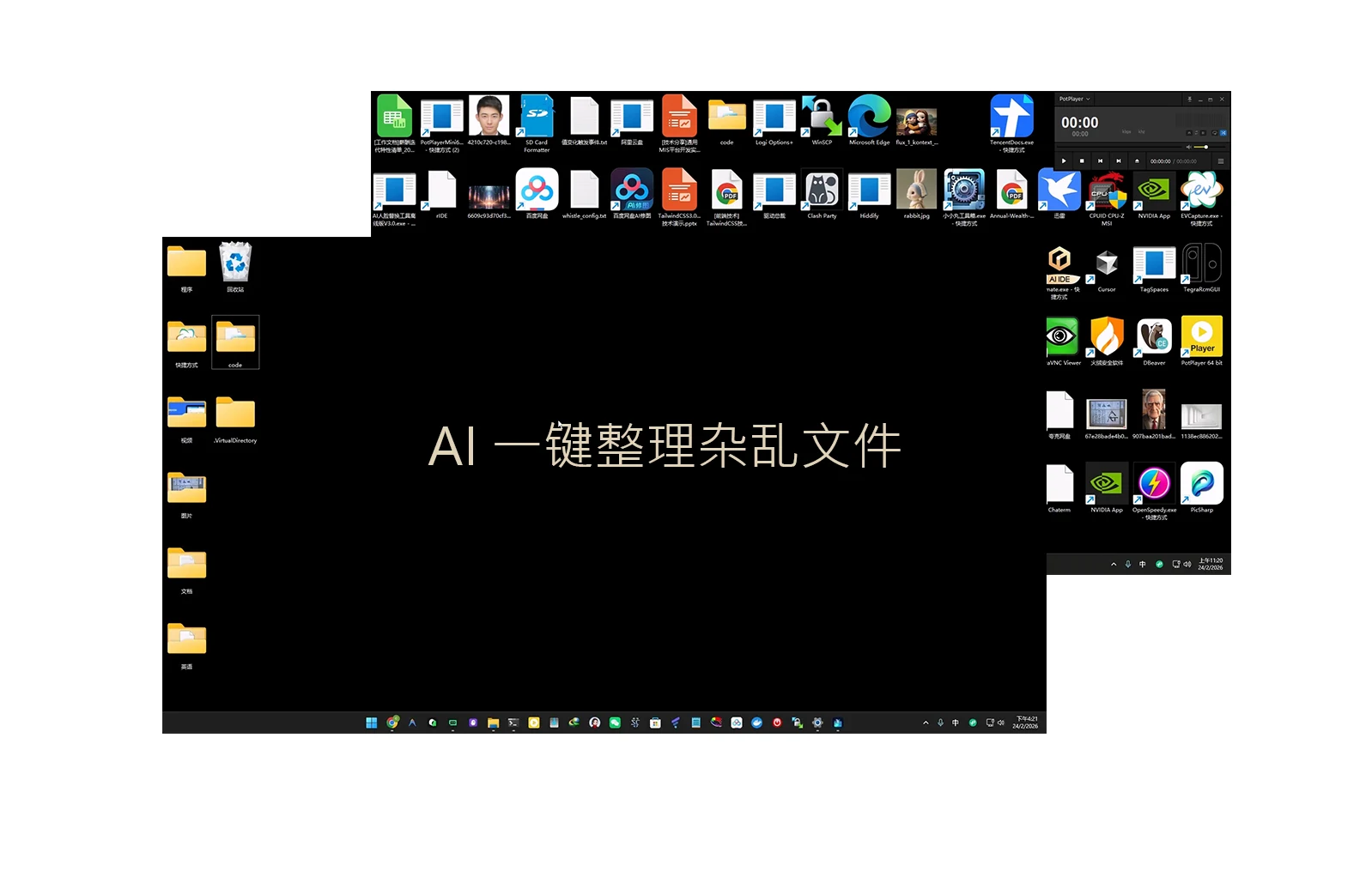
Actual effect demonstration and one-click finishing
Watch a video demonstration to see how AI can transform complex and disorganized hard drive folders into organized ones in seconds
Intelligent one-click organization of real directories
No need to manually create new folders, AI automatically renames and perfectly archives messy files based on text semantics and document types.
Eight core features to reshape your file management experience
Solve all traditional file organization pain points such as missing files, confusing file names, repeated space occupation, privacy concerns, etc.
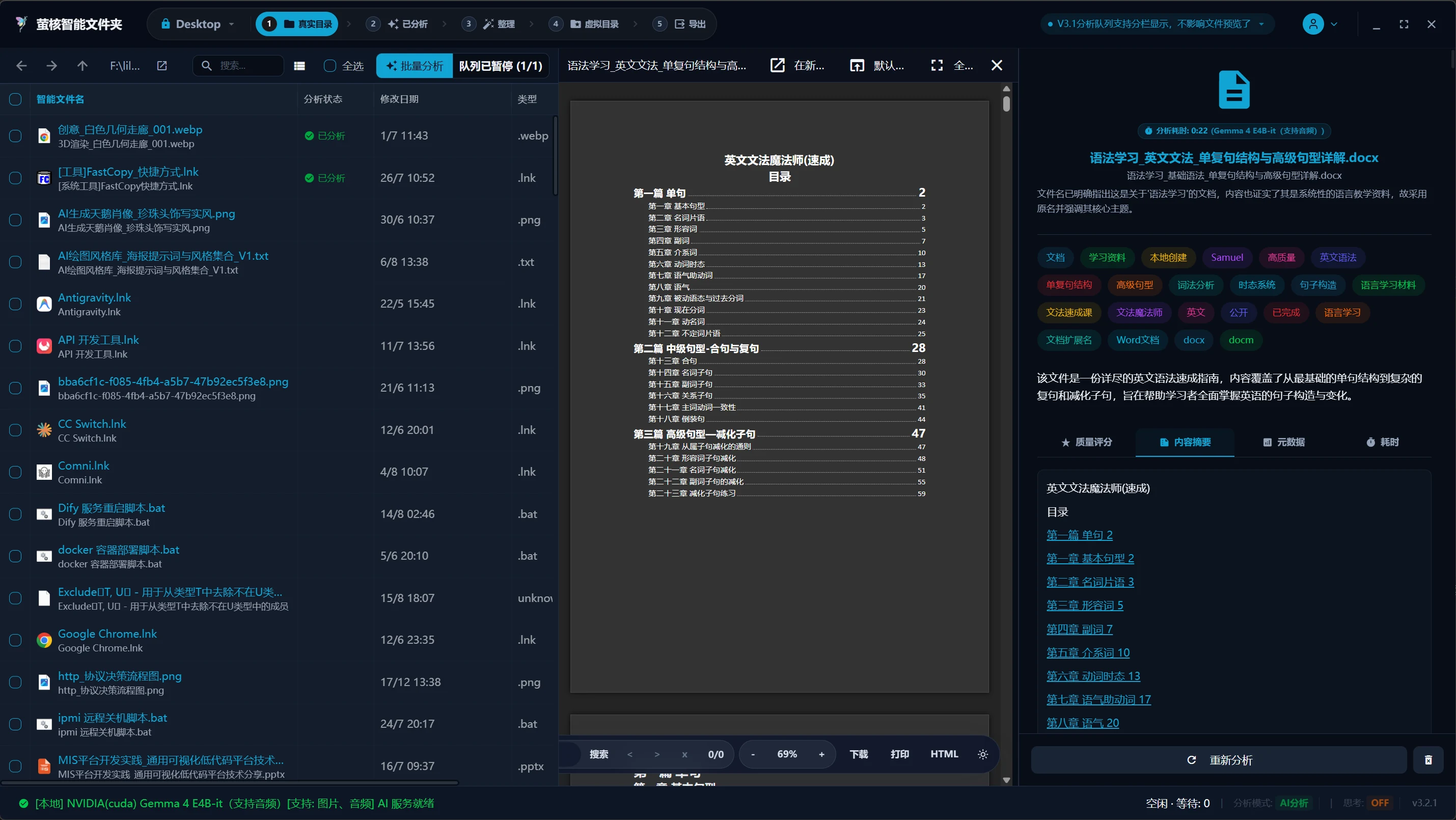
Automatic labeling and deep summarization
AI intelligently understands documents/pictures/code/audio and video, automatically extracts semantics and generates multi-dimensional labels and natural language summaries
No more manually annotating files. The built-in local multi-modal AI engine of Firefly can automatically and deeply analyze various documents, code snippets, high-precision images and audio and video files, accurately extract core topics, key entities and content summaries, and create a structured personal/enterprise intelligent knowledge base.
- Multi-modal analysis: supports text, PDF, code, image and audio and video extraction
- Natural language summarization: AI automatically reads and generates a one-sentence summary
- Automatic semantic tagging: automatically assign multi-dimensional tags based on 54+ classification dimensions
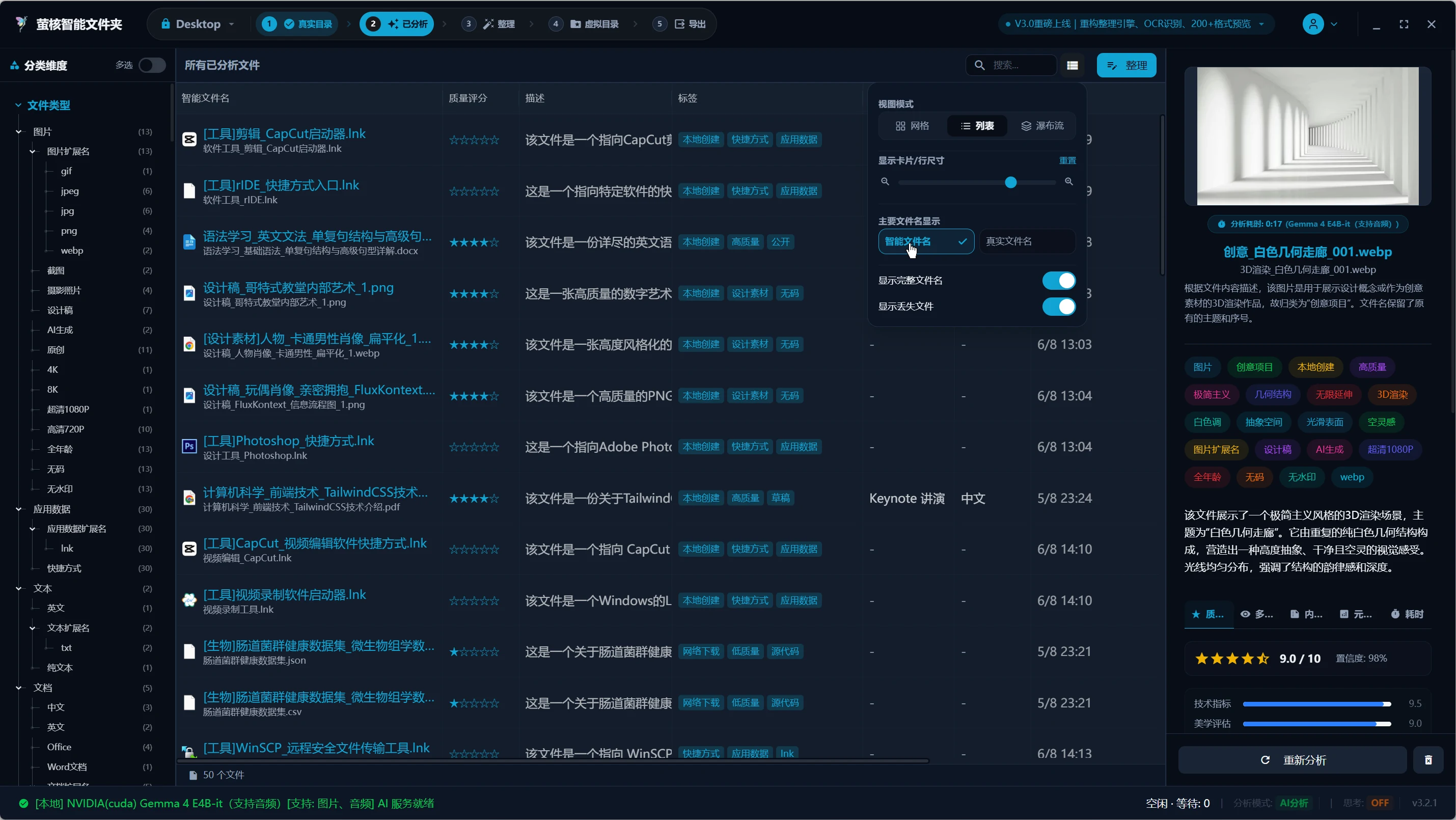
Semantics-based intelligent renaming
Say goodbye to "New Text Document (1).txt" or "DSC_0042.jpg" and rename them in batches accurately based on the file content.
Still troubled by messy file names? The intelligent renaming engine analyzes the true meaning of files, automatically extracts the author, date, subject or project attributes, and renames and organizes them in batches with one click, making every file name clear and readable with clear semantics.
- Say goodbye to the default garbled names: Completely eliminate "New Text Document" and "IMG_0001"
- Intelligent rule matching: supports batch renaming based on creation time, AI tags, and topics
- Flexible template customization: supports the construction of exclusive automated batch rename naming rules
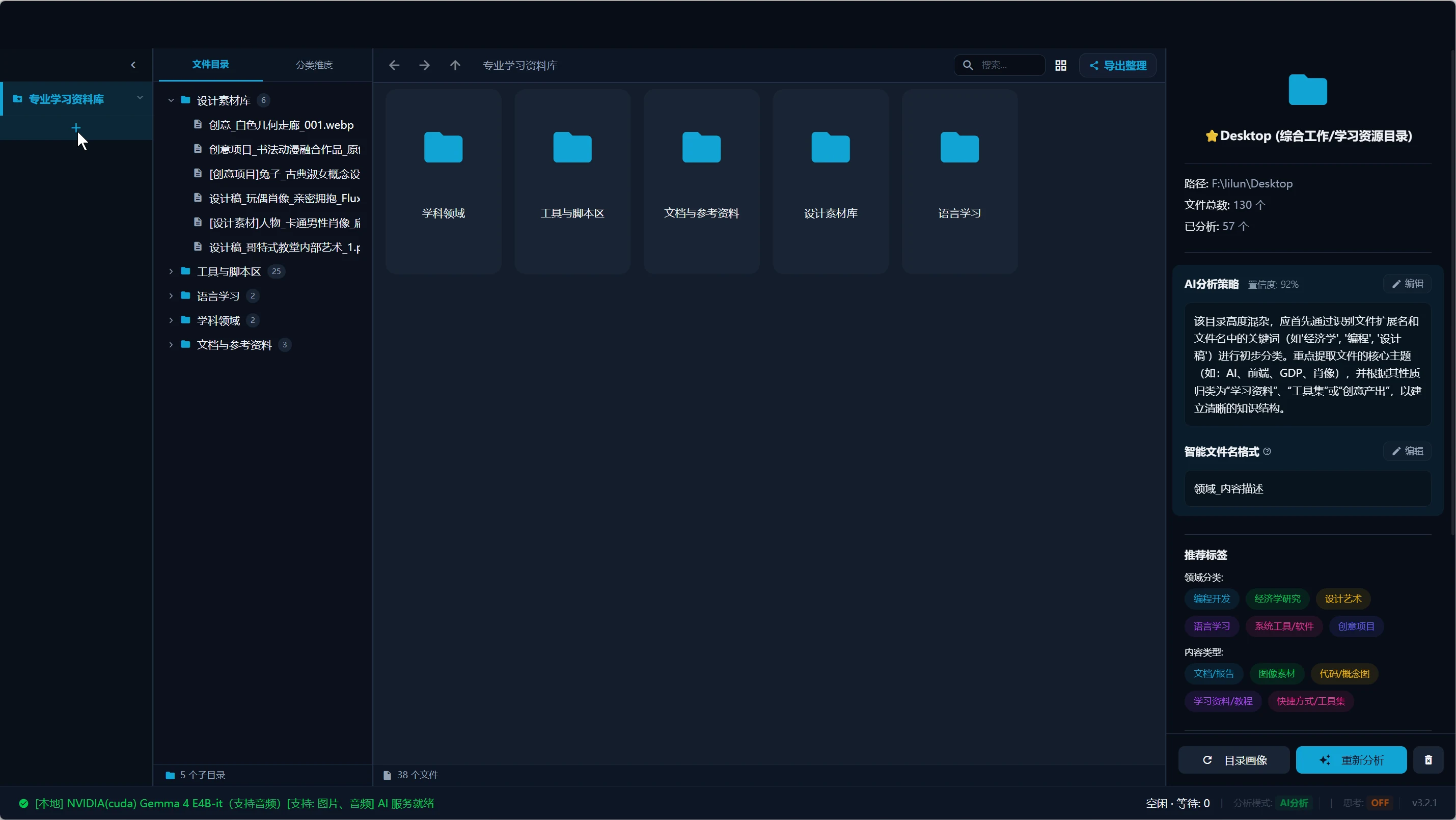
Original "Multi-dimensional Virtual Directory"
No moving of original files, no additional hard drive space required, one-click classification from multiple perspectives such as work projects/timelines/topics
Break the constraints of traditional hierarchical folders. Through soft links and multi-dimensional classification indexes, the same file can exist in multiple virtual folders such as "2026 Projects", "Design Resources", and "High Score Documents" at the same time. Lossless organization, extremely fast classification, and never occupying additional storage capacity.
- Zero hard disk usage: Use virtual link technology to avoid duplicate copies
- Multi-perspective classification: Freely switch between multiple views according to timeline, theme, and dimension tree
- Safe and lossless: the original file directory remains unchanged, completely eliminating the risk of file loss.
Intelligent semantics and full-text retrieval
Not only searching file names, but also supporting deep search and deduplication based on file content, AI tags, and semantic summaries
Easily solve the pain points of duplicate files taking up space and not being able to find the files you need. The powerful vector database and full-text search engine can not only search the text of files based on fuzzy semantics, but also accurately find duplicate files with highly similar content, and complete file deduplication and file cleaning with one click.
- Deep full-text retrieval: supports high-precision search based on content semantics, abstracts and AI tags
- Intelligent duplication checking and deduplication: accurately identify duplicate documents and similar images to complete efficient file cleaning
- Fuzzy intent matching: Even if you can’t remember the exact file name, you can find it instantly based on your impression.
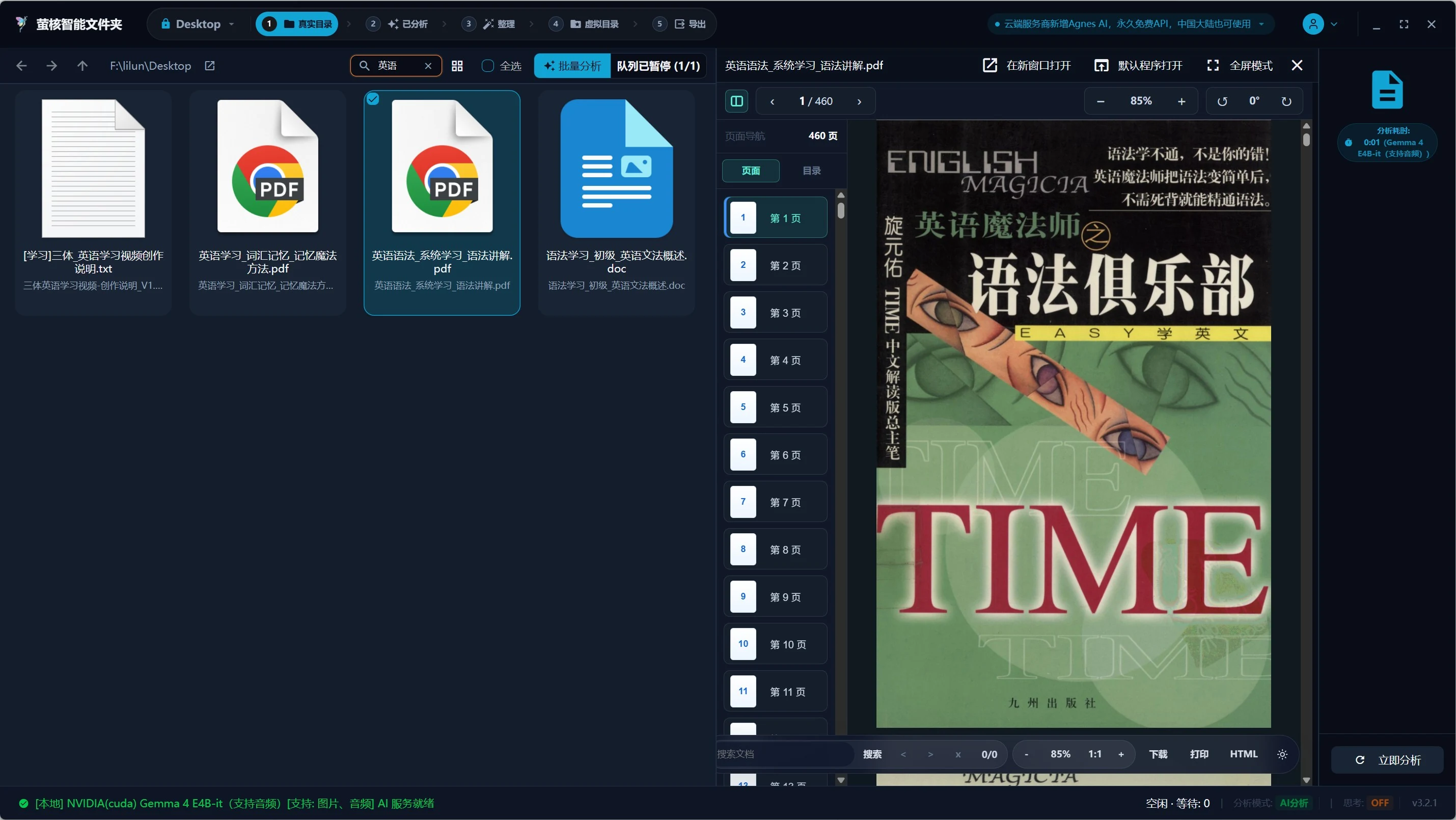
200+ formats native preview and OCR
Built-in powerful preview engine, supports Office/PDF/e-books/code/3D models and pictures OCR recognition
No need to install heavy application software, Firefly natively supports real-time high-precision preview of more than 200 mainstream and professional file formats. Combined with a high-precision local OCR algorithm, text in scans and pictures can be directly converted into searchable text data.
- Full format support: covering Office, PDF, markdown, code, 3D models, audio and video
- Local high-precision OCR: extract text from images/scans in seconds and automatically convert them into searchable text
- Second-level response: extremely fast rendering of previews and thumbnails, greatly improving file viewing efficiency

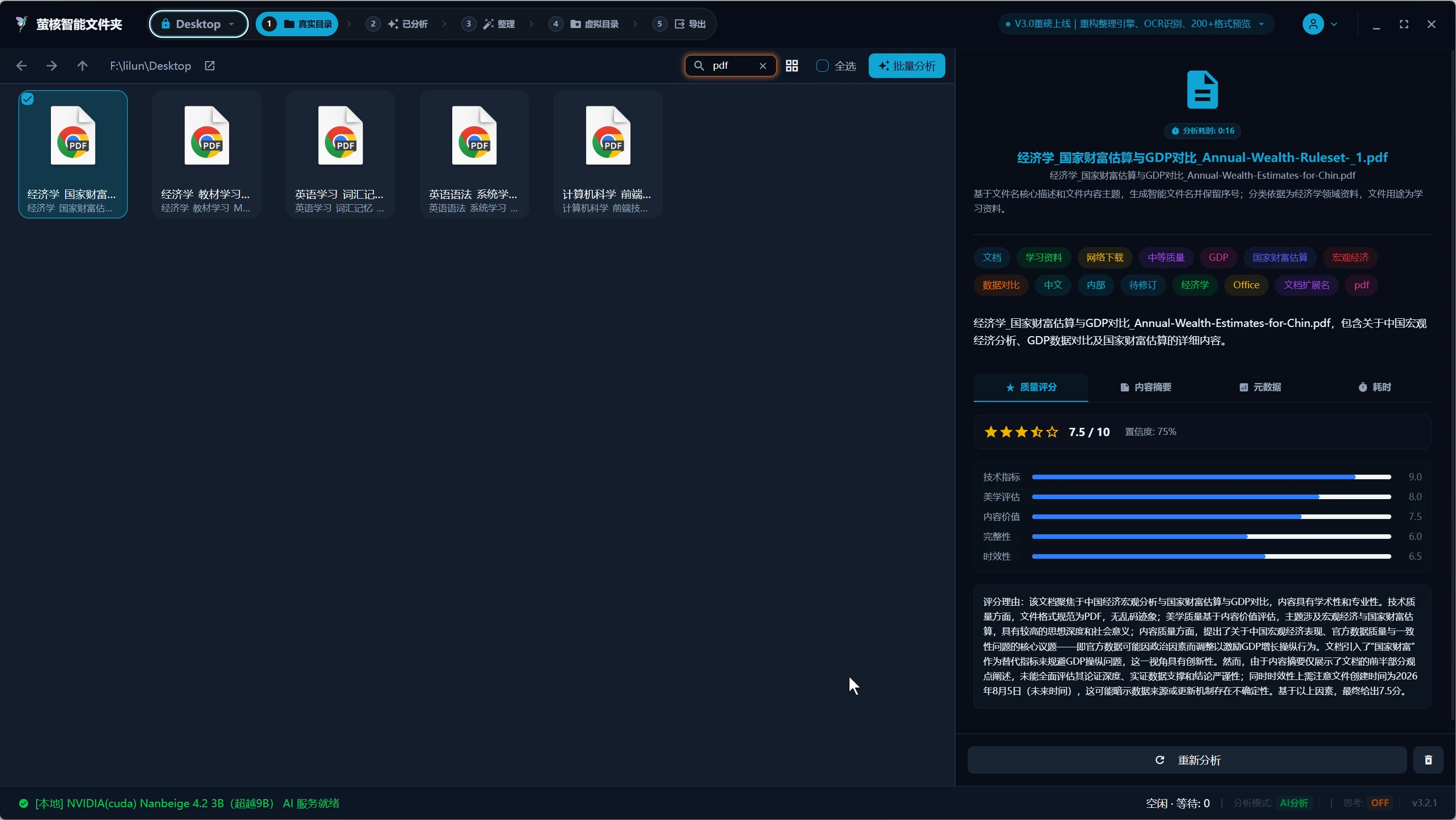
File quality assessment and extension correction
Automatically evaluate file value and relevance sorting, identify true file formats and correct incorrect extensions
Based on file completeness, resolution, content density and relevance, AI algorithms can automatically assign quality scores to files. At the same time, the real format can be automatically detected based on the file binary header, and damaged or wrong extensions of downloaded files can be identified and corrected in seconds.
- AI quality scoring: automatically sort files according to their value and quickly screen high-quality resources
- True identification of format: Determine the true type based on the file header bytes to solve the problem of being unable to open
- One-click extension correction: automatically correct .tmp, .dat, etc. to the correct suffix format
100% privacy security and data freedom
Local high-performance AI engine (supports GPU/CPU computing power), data is stored locally, zero upload, no registration required
Your private files and business documents will never be sent to the cloud. Firefly adopts 100% offline local large model inference technology, hardware adaptation GPU/CPU computing power, all index and analysis data are purely local SQLite storage, ensuring that data will never leak from the source.
- Purely local operation: no need to connect to the Internet, no need to register an account, fully functional in offline environment
- Zero data upload: Sensitive documents and private photo data remain on your hard drive forever
- Hardware intelligent acceleration: perfectly adapted to NVIDIA GPU, Apple Silicon and CPU computing power

Cross-platform support and multi-language experience
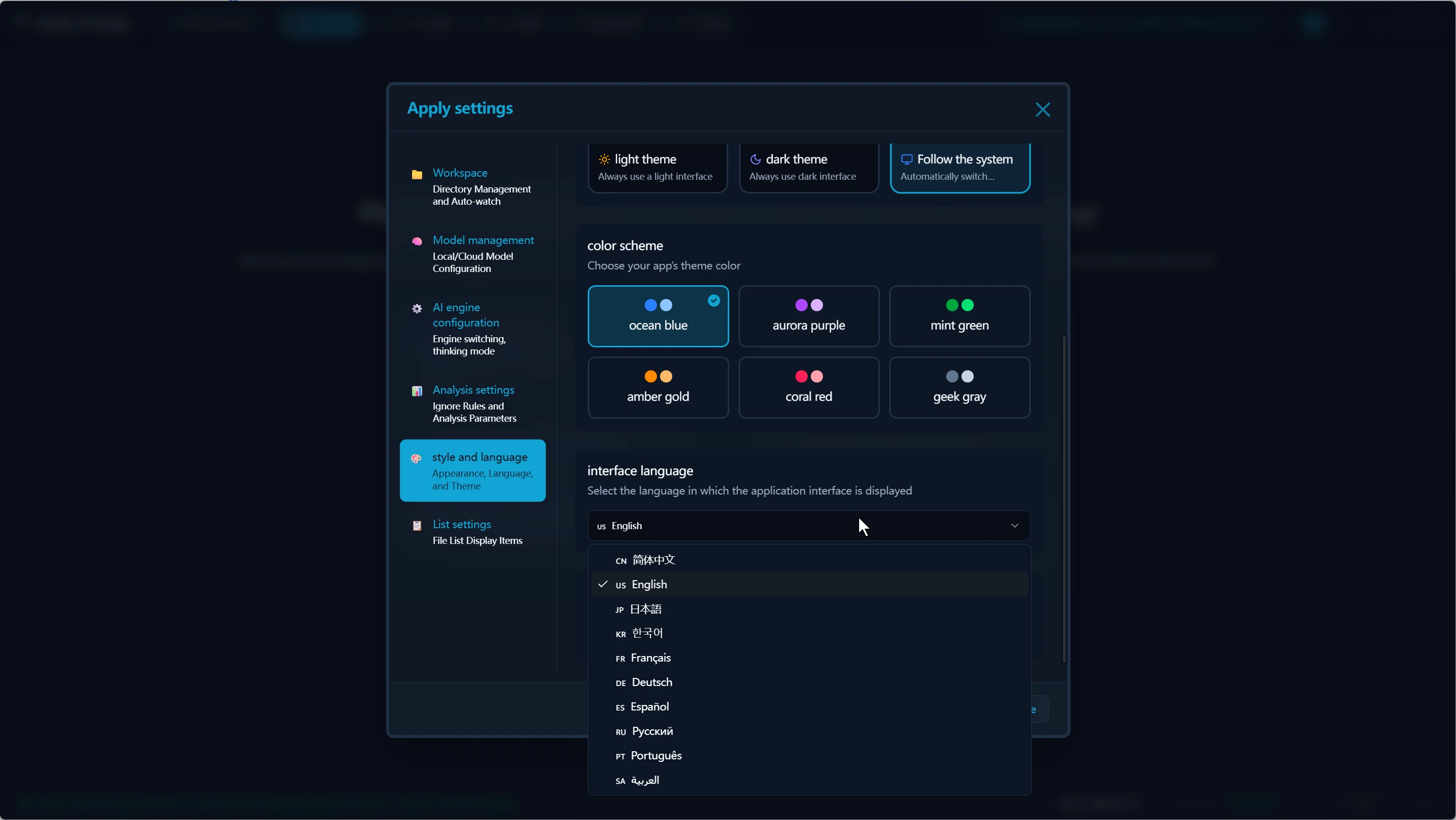
Developed based on Electron, perfectly supports Windows / macOS / Linux, with built-in interfaces in 10+ languages
One system, consistent experience across multiple terminals. Whether you're using a Windows 11, macOS, or Linux desktop, Firefly runs smoothly. Built-in multi-language framework, supports 10 interface languages including Chinese, English, Japanese, and Korean to switch at will.
- Full platform coverage: in-depth support for Windows, macOS (Intel/Apple) and Linux
- Modern UI design: fits the system design language, is beautiful and smooth
- Multi-language native integration: built-in 10+ mainstream languages, supporting global use
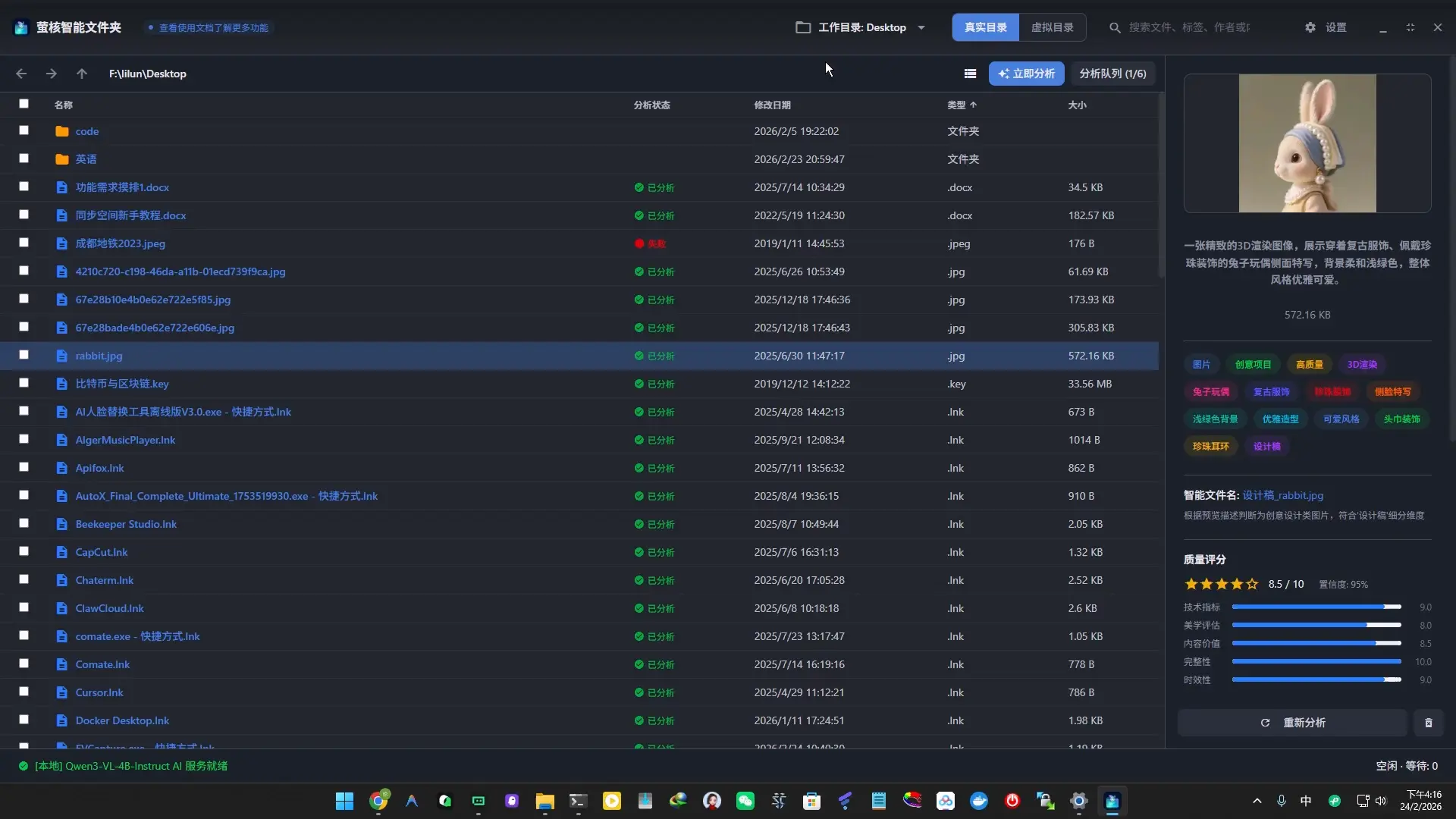
Exquisite interface, ultimate experience
Whether it is automated processing of large batches of files or multi-modal model selection, every interface has been carefully designed.
Real-time sniffing of real directories
Supports arbitrary selection of existing disk directories, automatically monitors file changes and performs real-time incremental analysis.
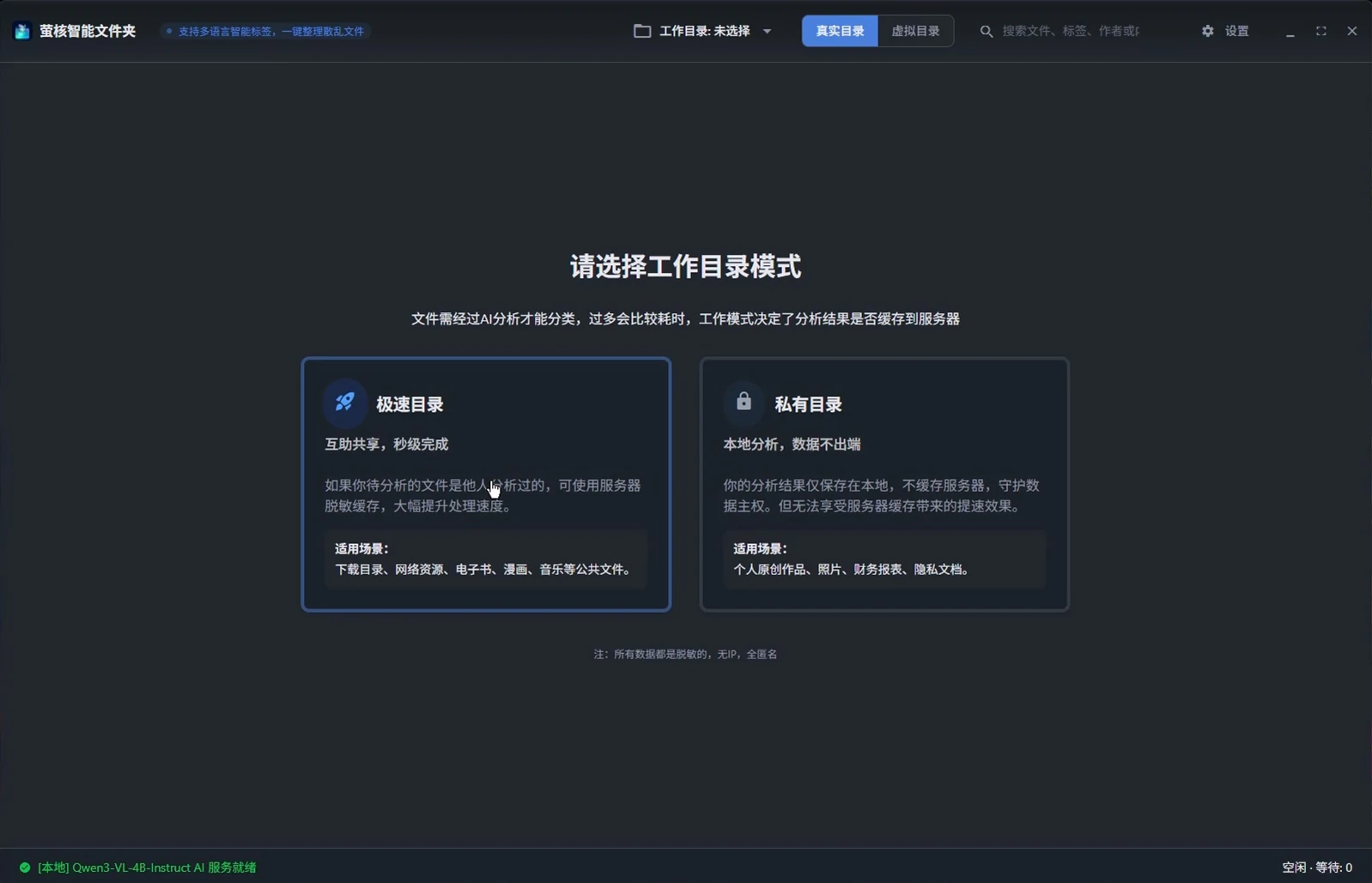
Flexible workspace model
Supports extreme speed mode and private mode to meet different preferences for performance and privacy.
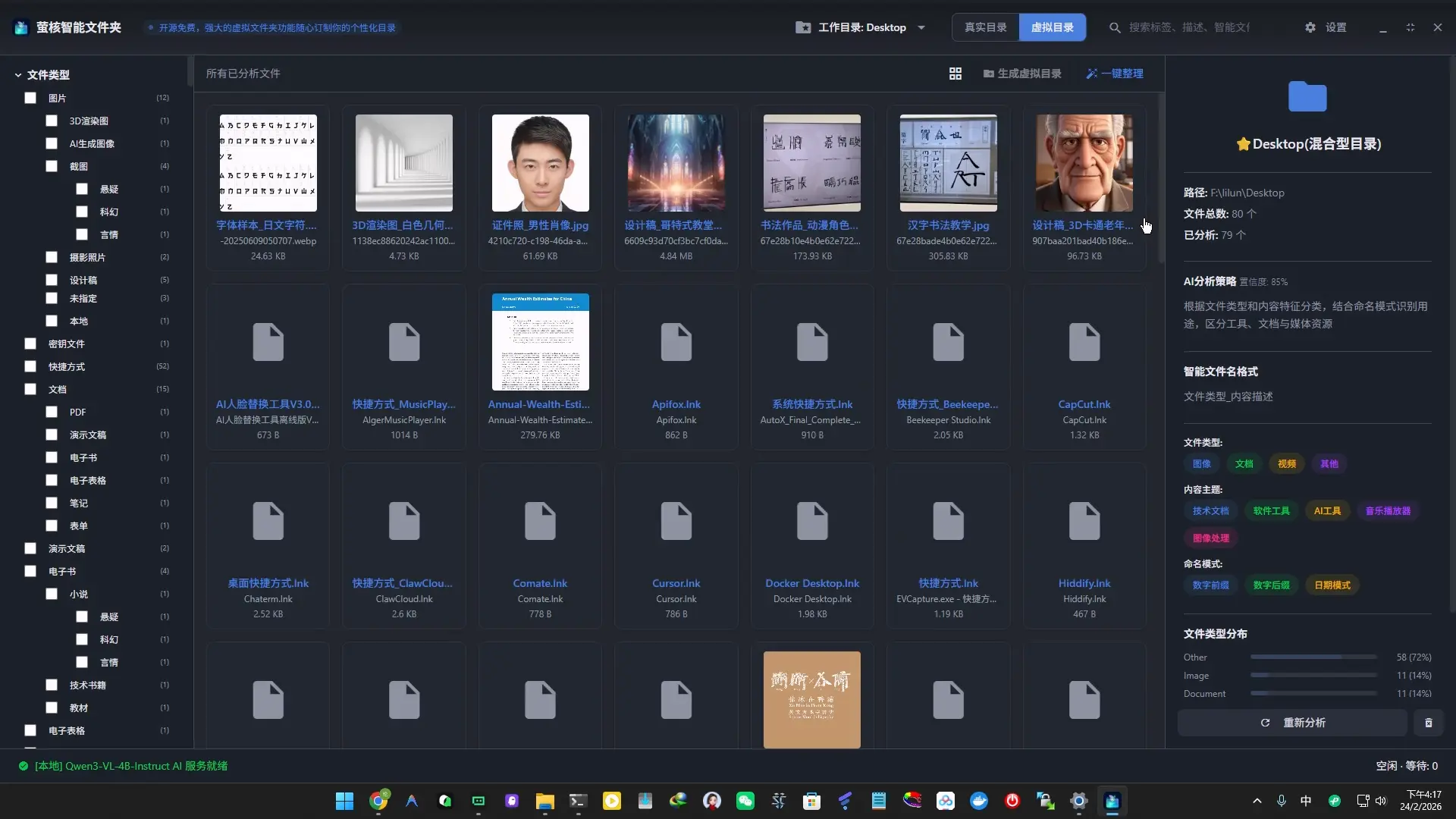
Multidimensional virtual directory tree
Automatically assemble multi-level directory trees based on AI dimensions, occupying zero disk space.
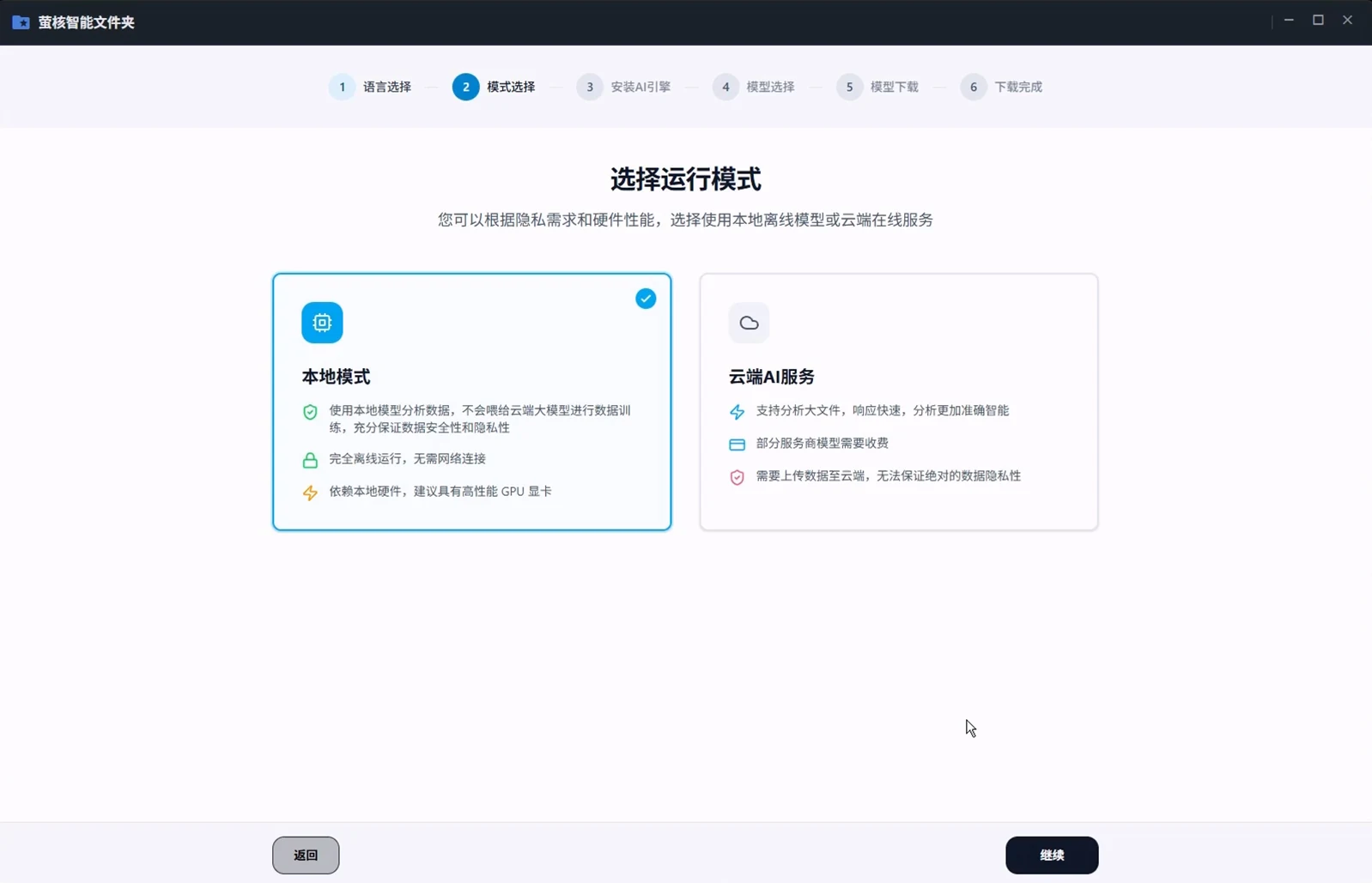
AI dual-engine architecture
The dual mode of local large model and online API achieves both efficiency and privacy.
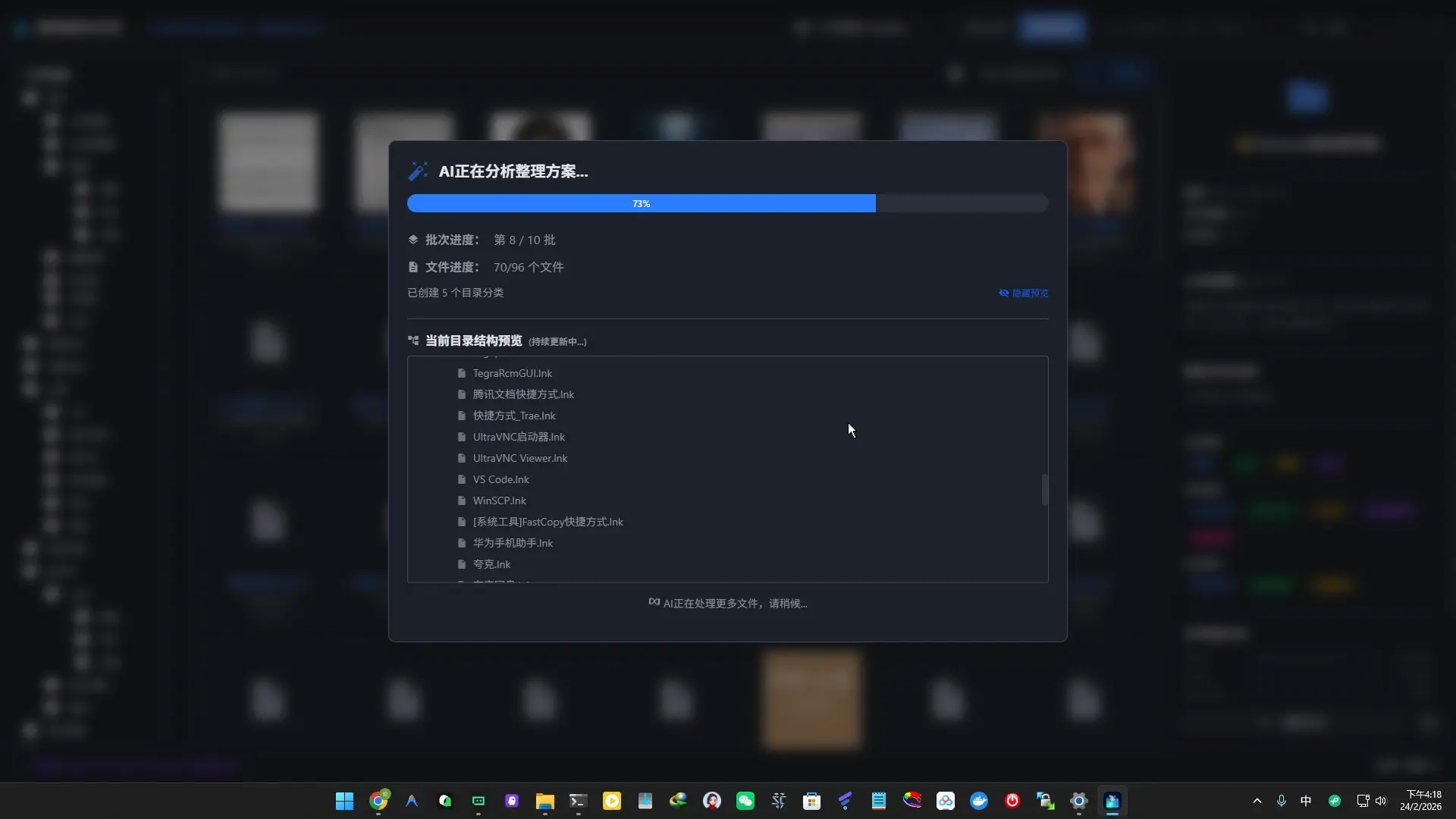
Batch Organization of massive files
Supports parallel extraction of metadata from tens of thousands of file queues, making it efficient and stable.
Hardware perception and model recommendation
Automatically detects VRAM and CPU performance, and accurately recommends local models with the best specifications.

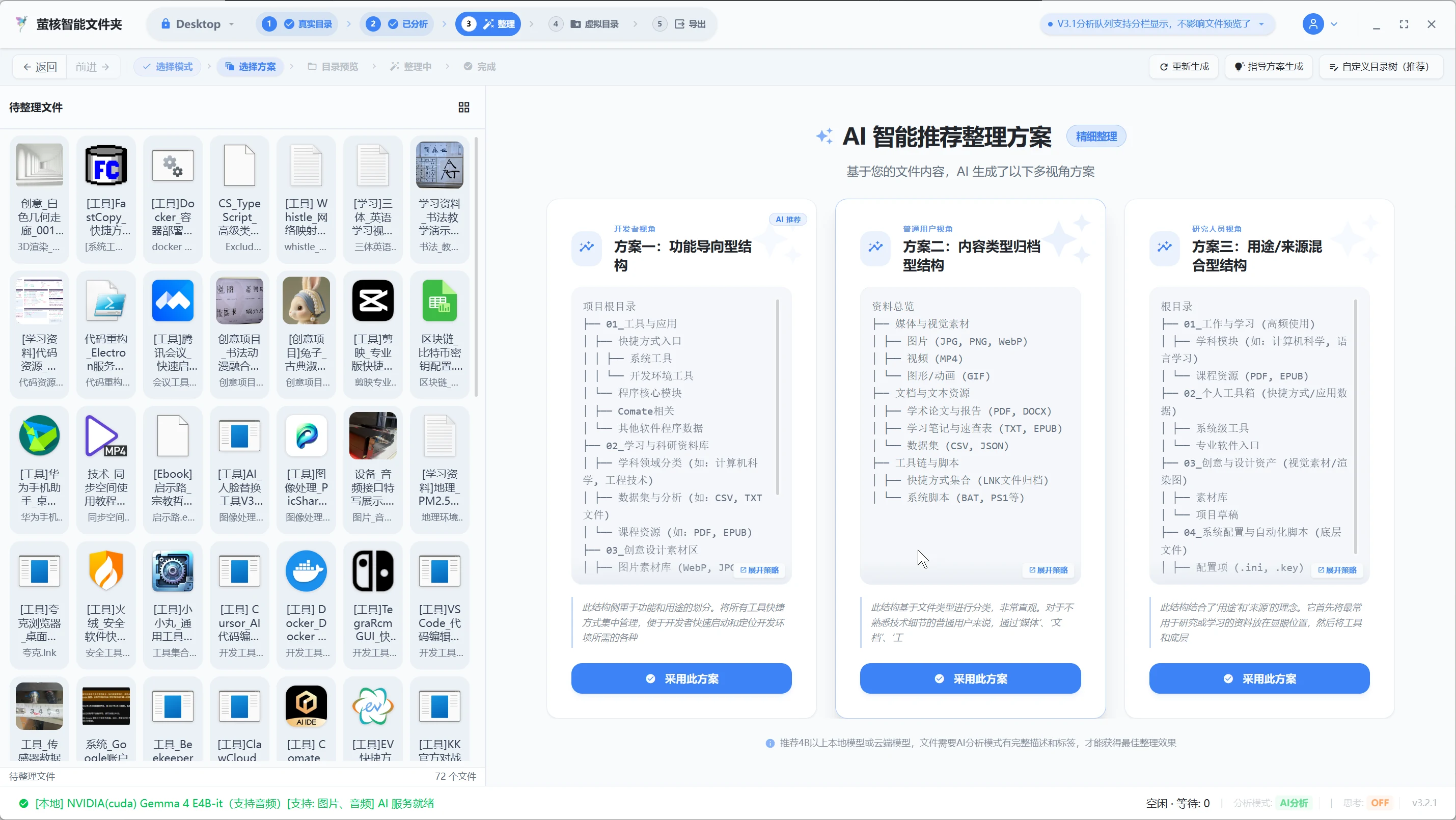
Organizing plan is automatically generated
Three organization plans, multi-perspective archiving, efficient and stable.
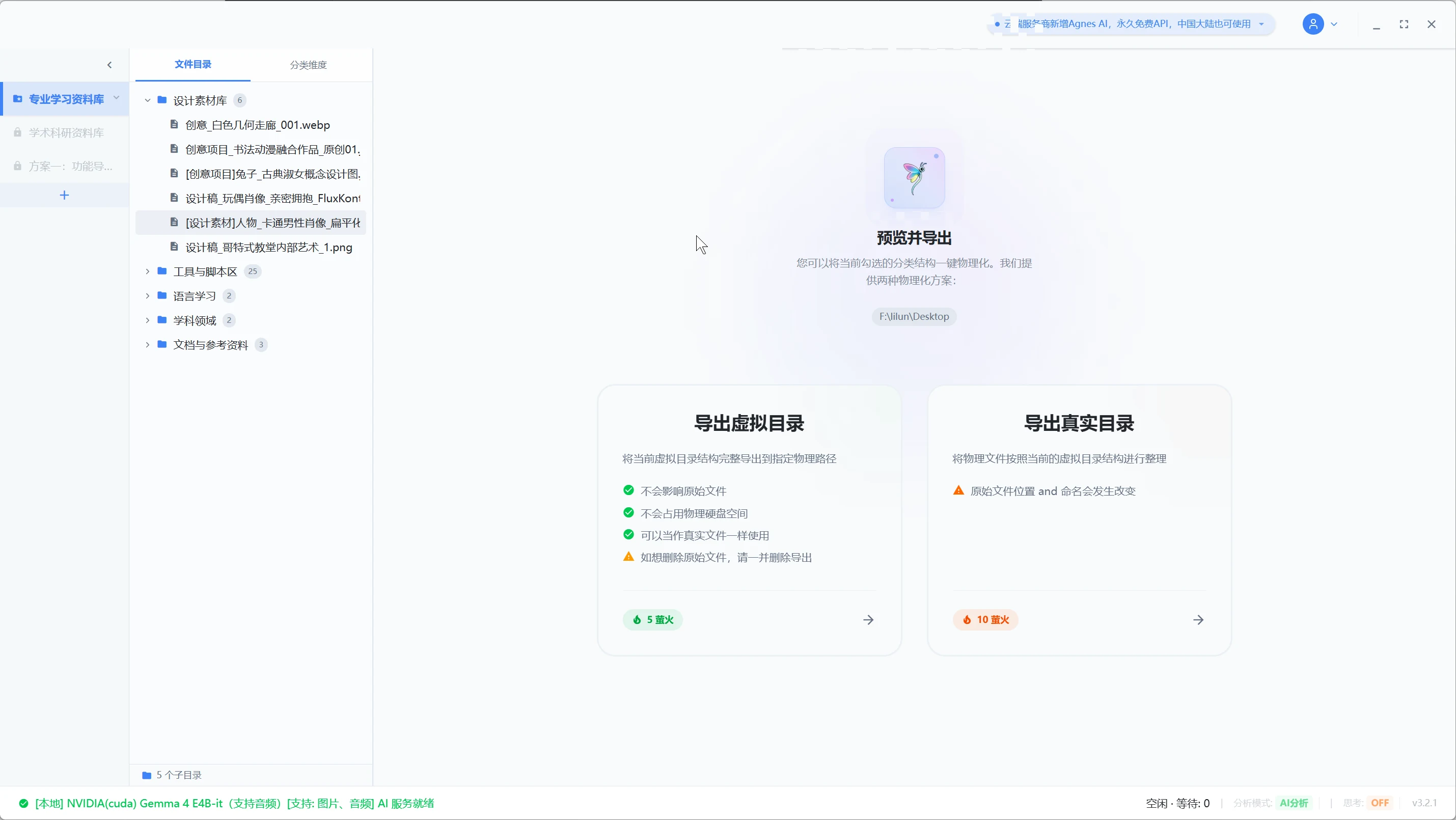
Powerful export support
Supports virtual directory tree export and real directory export to meet the needs of different scenarios.
Frequently Asked Questions and High Frequency Solutions
Frequently asked questions about file deduplication, batch rename, file cleaning and privacy security
Q:There are a lot of duplicate files in the computer and there is not enough hard disk space. What should I do?
A:Use Firefly's "File Deduplication" and "File Cleanup" functions. The system will automatically compare binary and AI image/text semantics to accurately find duplicate and highly similar files hidden in each folder, and support safe space release with one click.
Q:The photos exported by the mobile phone/camera are all DSC_001.jpg. Looking for the file is like looking for a needle in a haystack?
A:Utilize the "Smart Batch Rename" engine. AI will automatically identify the scene in the photo (such as "2026 Seaside Vacation") or the core title of the document, rename it in batches with one click, and say goodbye to the default meaningless file name.
Q:The downloaded file cannot be opened and the extension is wrong?
A:Firefly has built-in "real file format recognition and extension correction", which does not rely on file name suffixes and directly verifies file header bytes, helping you repair damaged or wrong extensions in seconds.
Q:Worried about corporate documents or private files being uploaded to the cloud and causing leaks?
A:Firefly uses a "100% local AI engine". All file analysis, OCR recognition and semantic indexing are completed on your computer's local GPU/CPU. No bytes are ever uploaded to the Internet, and your privacy is absolutely safe.
Cutting-edge AI models
Model dual source accelerated download
Ecological Skill Community
Official communication community
Firefly Zhihu CircleAre you ready to experience intelligent file management?
Download Firefly AI Folder for free now and start an efficient office journey of batch renaming, intelligent semantic search and automatic file deduplication.